
RabbitSubtitle field guide
Try speech recognition
Try another way to turn recordings into text. This optional preview needs a powerful computer. This release has not passed recognition testing on our current test laptop, so it is not offered as a ready-to-use subtitle feature.
Before you begin
- All paid plans
- The initial check requires at least 32 GB of memory and 16 GB of dedicated graphics memory. Offline narration does not need this graphics hardware.
- Try another way to turn recordings into text. This optional preview needs a powerful computer. This release has not passed recognition testing on our current test laptop, so it is not offered as a ready-to-use subtitle feature.
Click-by-click
01
Speech recognition preview
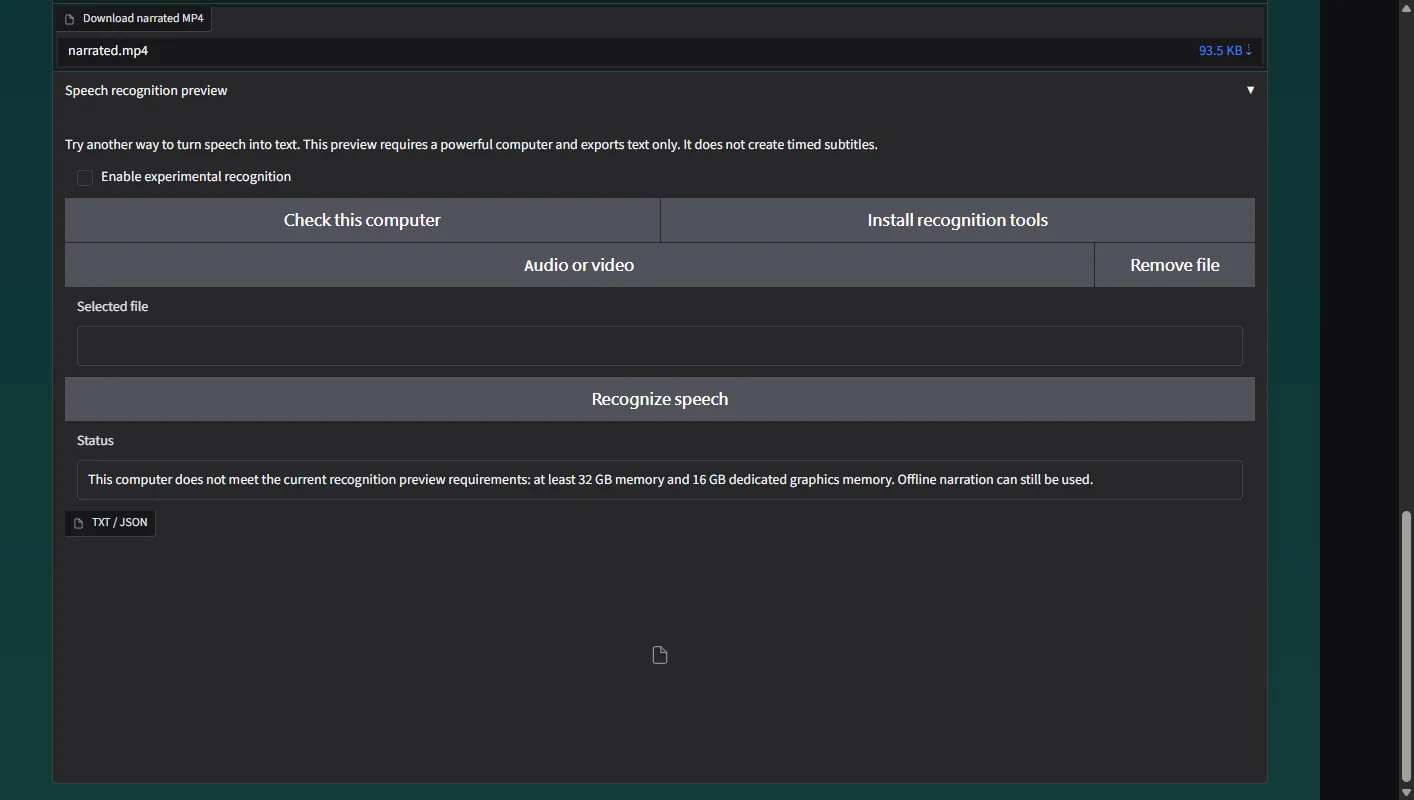
Open Offline narration and expand Speech recognition preview.
 Open full-size screenshot ↗
02
Check this computer
Enable experimental recognition and click Check this computer.
Open full-size screenshot ↗03
Install recognition tools
If the computer is suitable, click Install recognition tools. An unsuitable result means this preview cannot run on that computer.
04
Recognize speech
Select a short recording with clear speech and click Recognize speech. If it completes, download the text and compare it with the audio.
What you receive
- Only if recognition finishes: a plain text file, without timed subtitles. This release has no successful recognition example from our test laptop.
Troubleshooting
- The initial check requires at least 32 GB of memory and 16 GB of dedicated graphics memory. Offline narration does not need this graphics hardware.
- Download interrupted: check the connection and retry. Completed pack files are kept.
Final verification
- Only if recognition finishes: a plain text file, without timed subtitles. This release has no successful recognition example from our test laptop.